💎 Visual Studio Code treasures
A list of Visual Studio Code extensions I can't live without, from Prettier and Quokka to GitLens and Import Cost.
By Dennis Bruijn · · 6 min read · #vscode #devtools
Originally published on Medium.
It has almost been a year since I published my story about Atom the hackable text editor from our friends at GitHub here’s my take on VS Code 👇🏼
@Microsoft did an exceptional job by creating a super performant and flexible editor. There’s a big community behind it and it’s constantly improving. Besides flexibility and performance, it also offers IntelliSense, interactive debugging and build-in GIT commands.
If you haven’t switched yet, give it a try and let me know what you think about it.
How to install extensions?
Installing extensions in Visual Studio Code is a breeze! Launch Visual Studio Code Quick Open with Ctrl+P (⌘P) and paste the extension installation command in there: ext install prettier-vscode
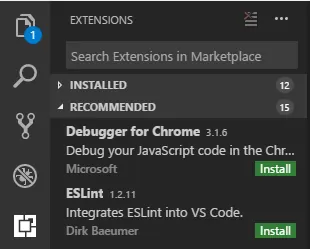 Another thing you can do is open the extensions marketplace by clicking on the extension icon in Visual Studio Code
The list
Prettier
This extension enables you to use Prettier in your projects.
Prettier - Code formatter - Visual Studio Marketplace
Prettier is an opinionated code formatter with support for: JavaScript, (including ES2017) JSX, Flow, TypeScript, CSS, LESS, SCSS, JSON and GraphQL
You can learn more about prettier by watching this React Conf video.
 ▶ Watch “⚡️ - James Long - A Prettier Printer (plus bonus clip!) - React Conf 2017” on YouTube
Quokka
This extension enables you to use Quokka.js in your projects.
Quokka.js - Visual Studio Marketplace
Quokka.js is a rapid prototyping playground for JavaScript and TypeScript. It runs your code immediately as you type and displays various execution results in your code editor.
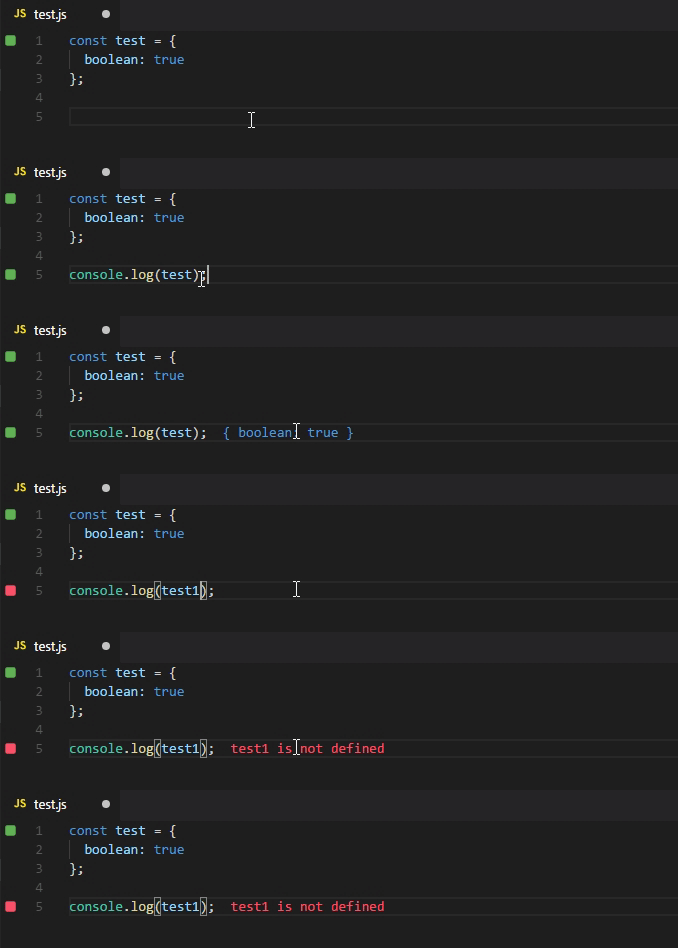
Use command Start on current file from the quokka.js command list or press Ctrl+K(⌘K)
Import Cost
This extension enables you to display import/require package size inside the file you are working in.
Import Cost - Visual Studio Marketplace

ESLint
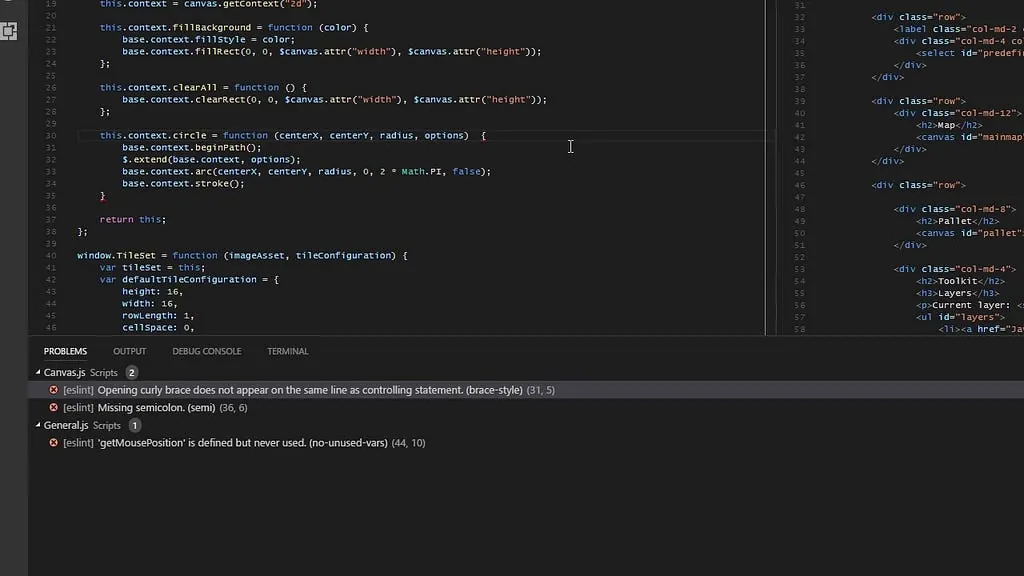
This extension enables you to use ESLint. ESLint is an open source JavaScript linting utility originally created by Nicholas C. Zakas in June 2013. Code linting is a type of static analysis that is frequently used to find problematic patterns or code that doesn’t adhere to certain style guidelines. There are code linters for most programming languages, and compilers sometimes incorporate linting into the compilation process.
ESLint - Visual Studio Marketplace
Markdown all in one
This extension enables you to have keyboard shortcuts (toggle bold, italic, code span and heading), a table of contents generator, automatically show preview, list editing and much more.
Markdown All in One - Visual Studio Marketplace
Because we all ❤ Markdown, don’t we?
Project manager
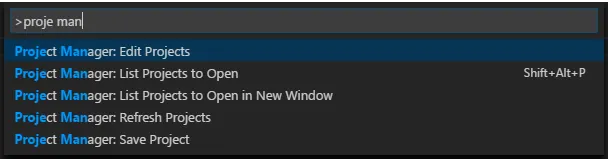
This extension allows you to manage multiple projects inside visual studio code, the projects are listed in a projects.json that gives you full control over names and paths
Project Manager - Visual Studio Marketplace
Regex previewer
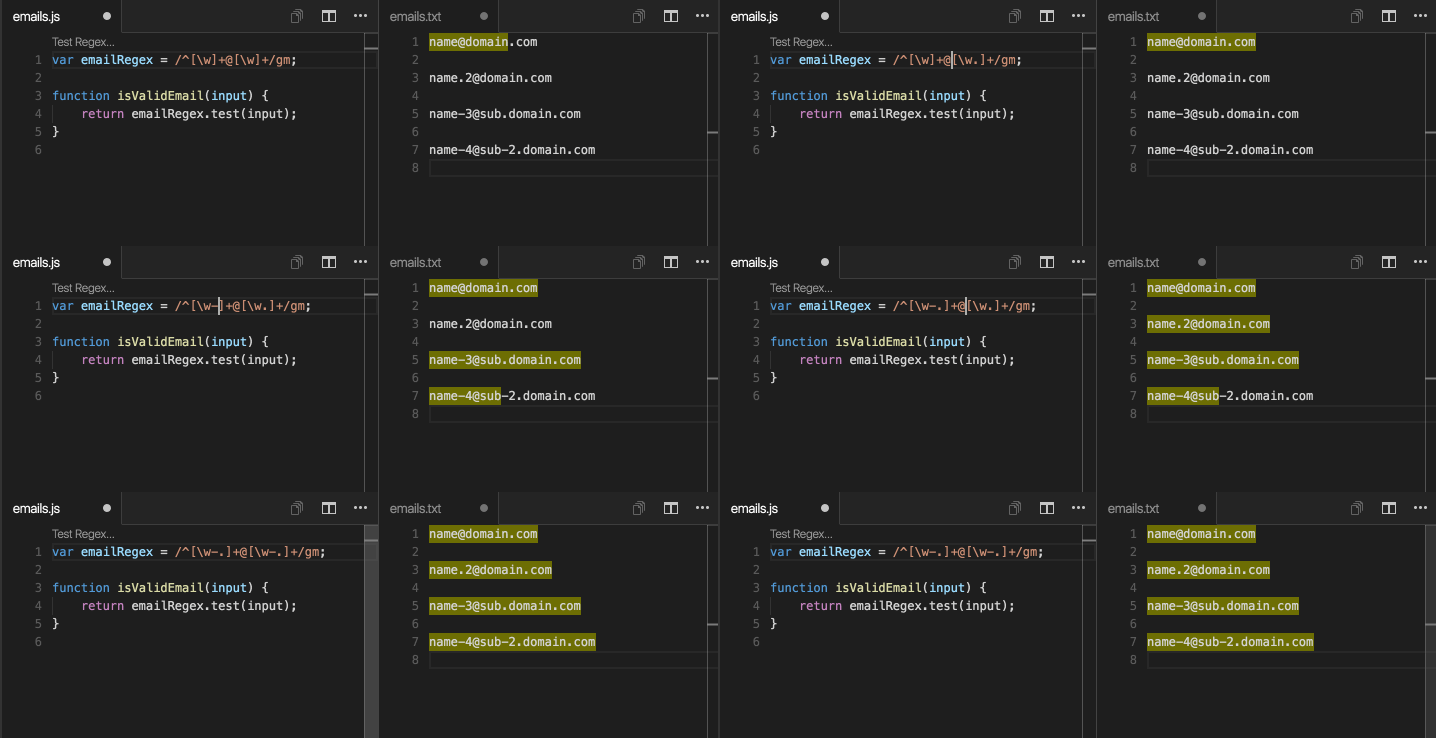
This extension enables you to validate your regular expressions in real-time.
Regex Previewer - Visual Studio Marketplace
Shows the current regular expression matches in a side-by-side document. This can be turned on/off with Ctrl+Alt+M (⌥⌘M).
Settings sync
This extension enables you to synchronize: settings, snippets, themes, file icons, key bindings, workspaces and extensions across multiple machines using GitHub gist.
Settings Sync - Visual Studio Marketplace
It basically does the same as sync-settings did in Atom
Auto close tag
This extension allows you to automatically add HTML/XML close tag, same as Visual Studio IDE or Sublime Text does.
Auto Close Tag - Visual Studio Marketplace

Path intellisense
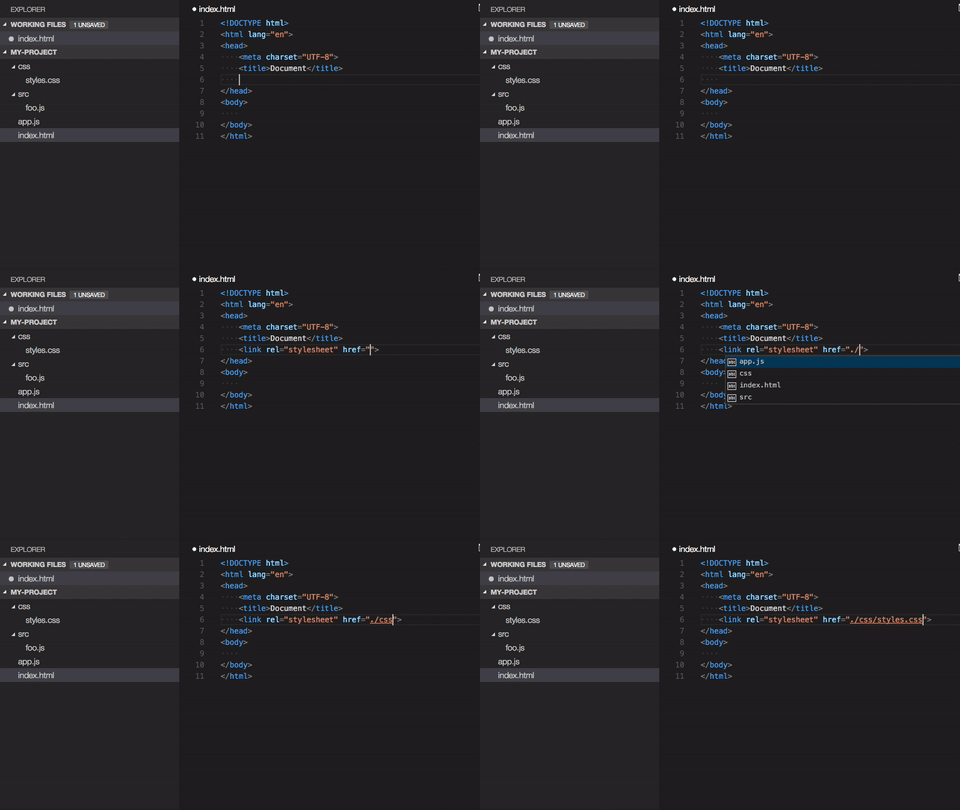
This extension enables auto completion of file paths in your HTML tags.
Path Intellisense - Visual Studio Marketplace
Auto rename tag
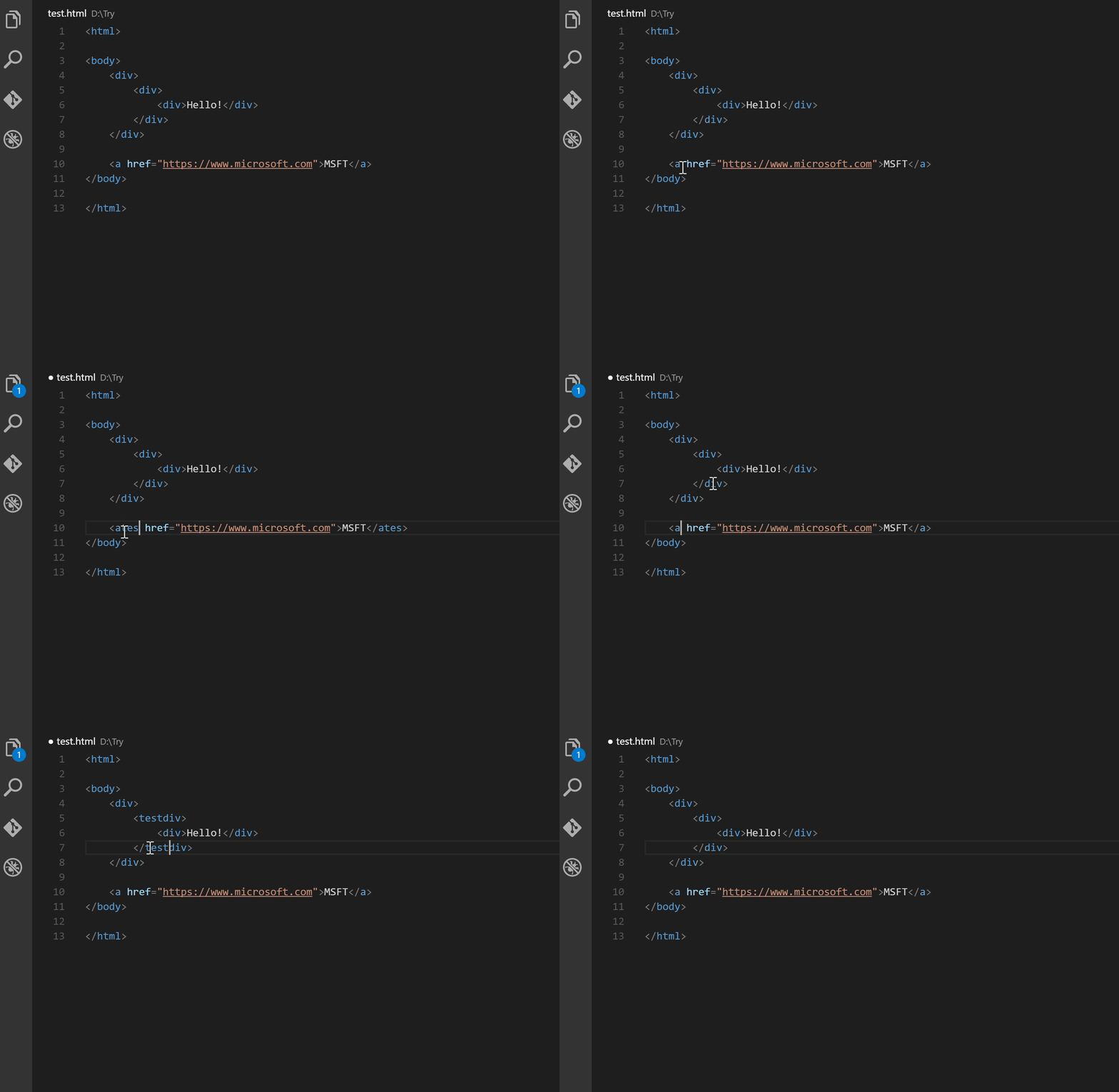
This extension allows you to automatically rename paired HTML/XML tag.
Auto Rename Tag - Visual Studio Marketplace

Change case
This extension enables you to quickly change the case of the current selection or current word, you can change the cases to camelCase, CONSTANT_CASE, snake_case, kebab-case, etc.
change-case - Visual Studio Marketplace
Stylelint
This extension enables you to use Stylelint in your project, Styelint is a modern CSS linter and fixer that helps you avoid errors and enforce consistent conventions in your stylesheets.
stylelint - Visual Studio Marketplace
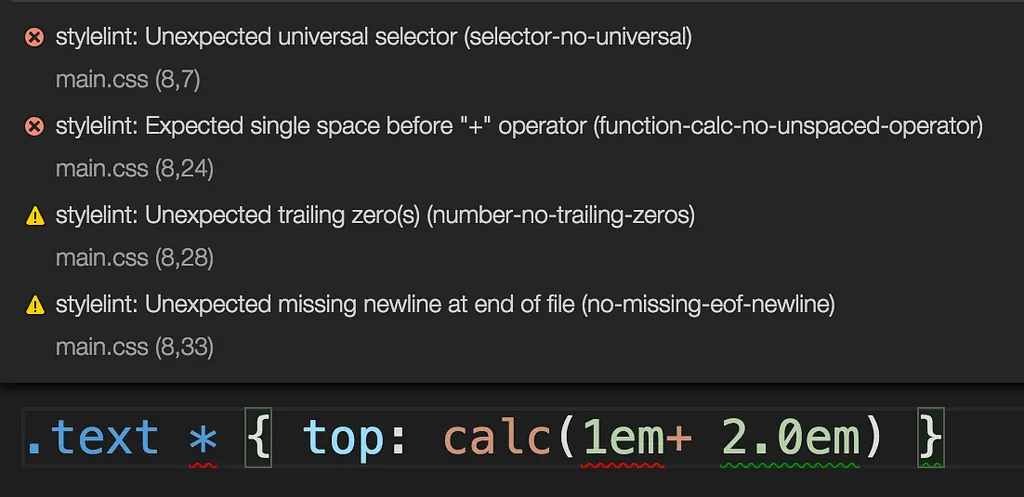
Don’t forget to add a .stylelintrc config file to your project root. https://stylelint.io/user-guide/configure/
Git Lens
This extension supercharges the built-in Visual Studio Code Git capabilities. It helps you to visualize code authorship at a glance via Git blame annotations and code lens, seamlessly navigate and explore the history of a file or branch, gain valuable insights via powerful comparison commands, and so much more.
GitLens - Git supercharged - Visual Studio Marketplace
TODO Highlight
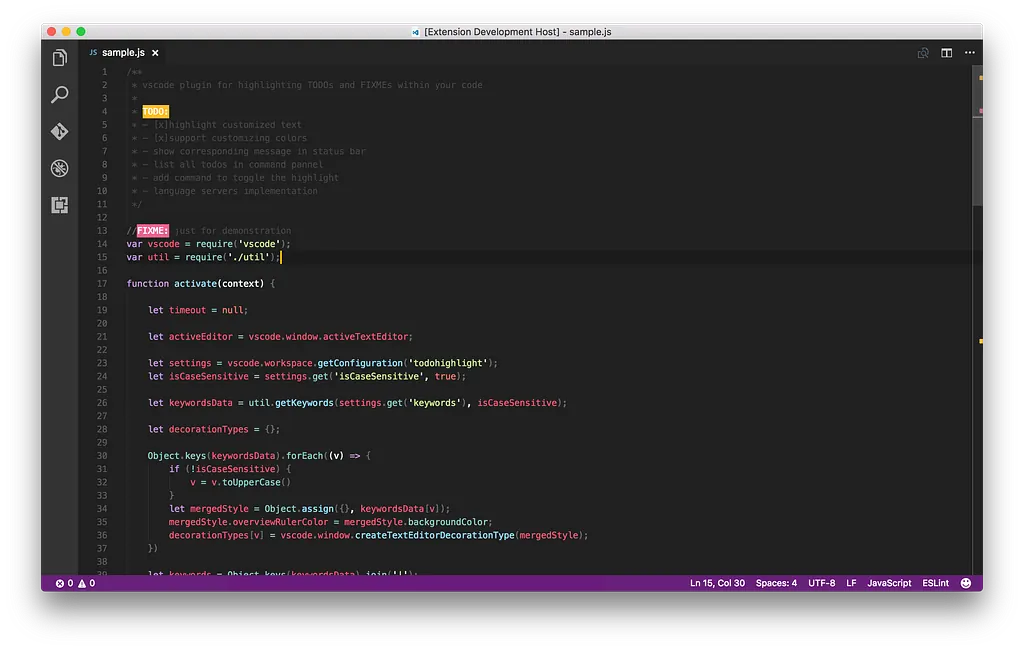
This extension allows you to highlight TODOs, FIXMEs, and any keywords, annotations.
TODO Highlight - Visual Studio Marketplace
SVG Viewer
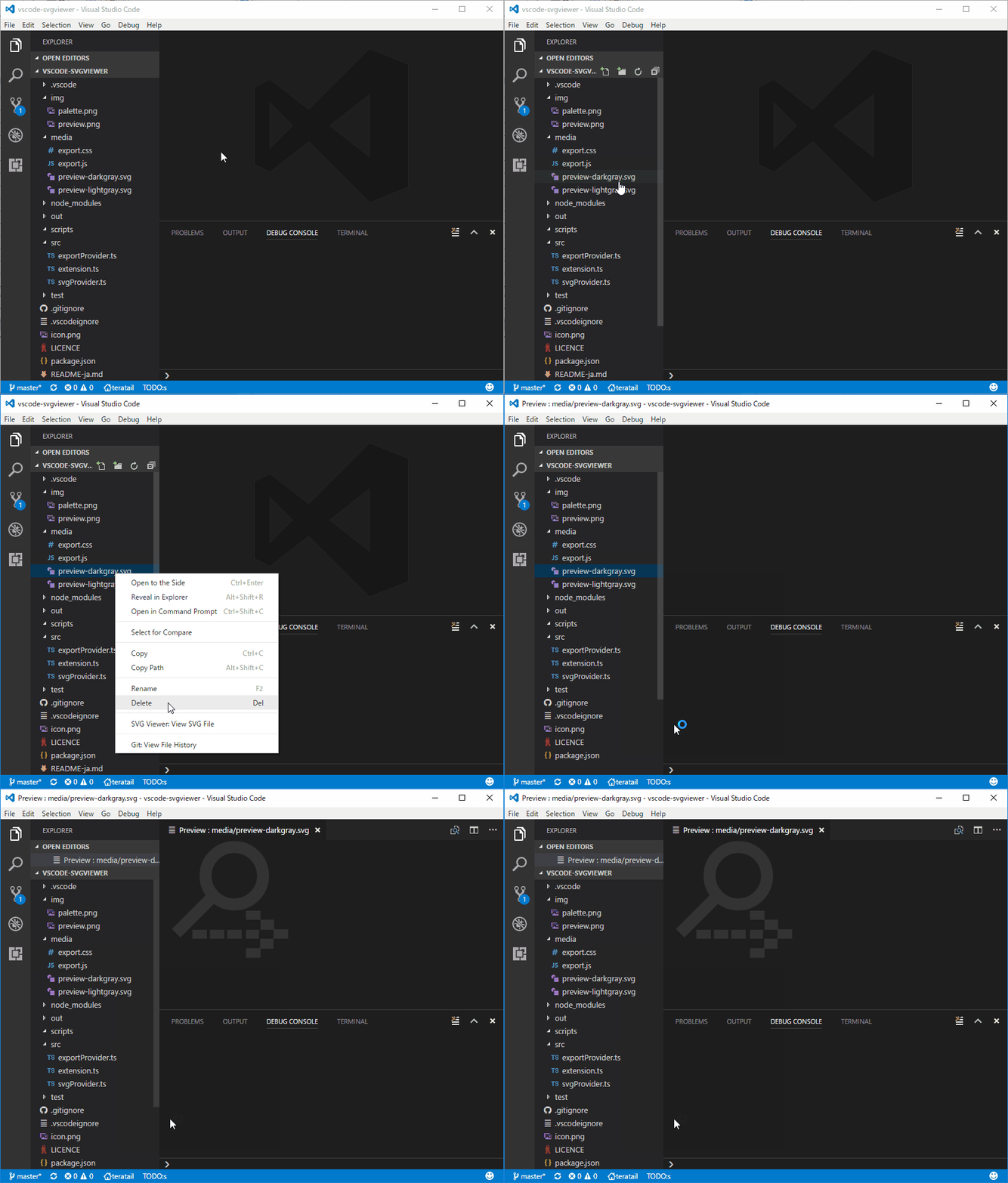
This extension enables you to view SVG’s on the fly, just right click the file and view.
SVG Viewer - Visual Studio Marketplace
Extra
Color Info
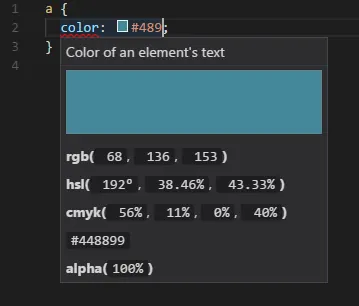
This extension enables you to view color information specifics on a color entry in CSS.
Color Info - Visual Studio Marketplace
VScode icons
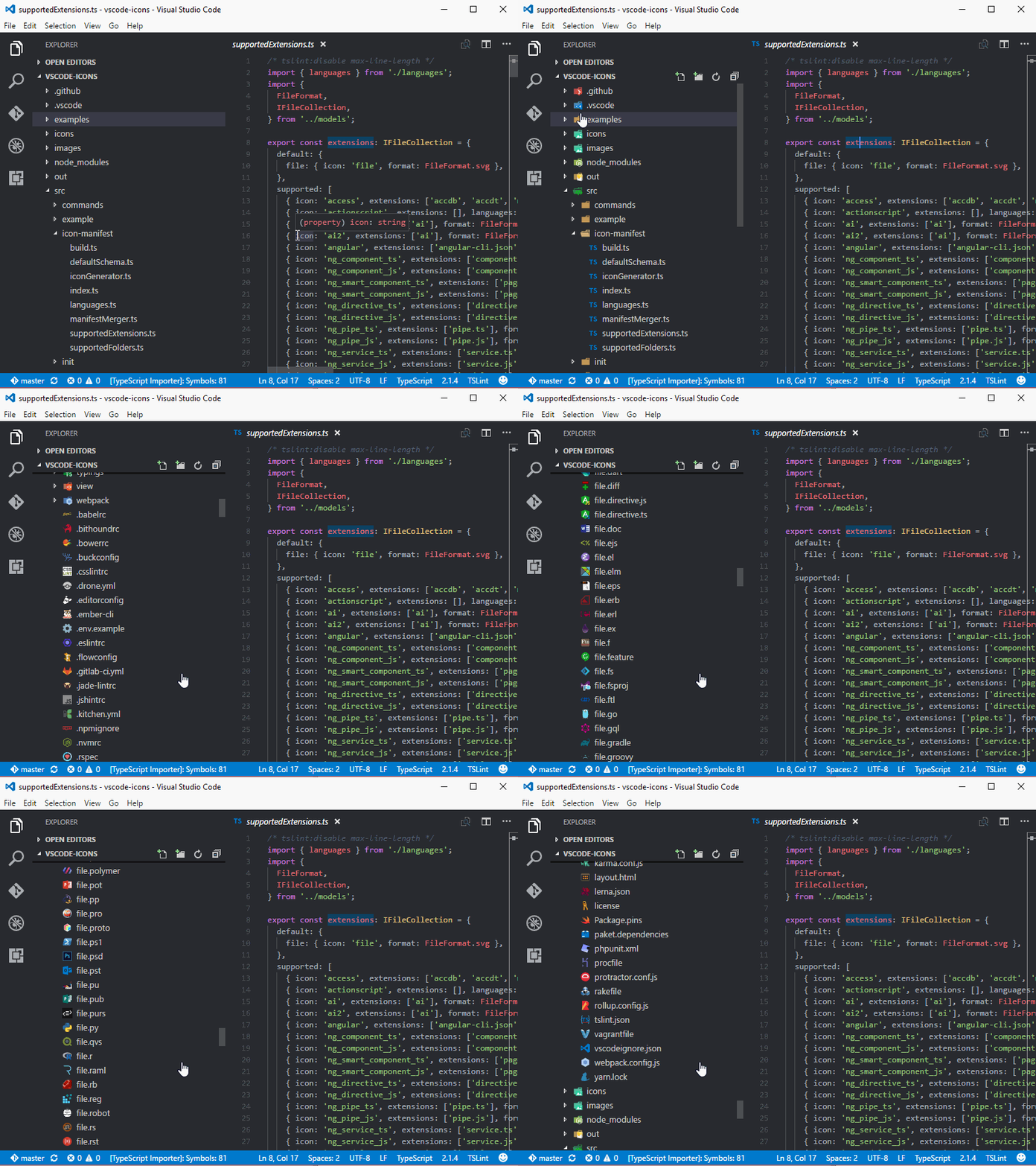
This extension enables you to have specific file icons for almost every extension. By default Visual Studio Code now uses seti as icon pack, this is why I didn’t list VScode icons in the main list.
vscode-icons - Visual Studio Marketplace
You can see it in action here
VS Code Spotify
This extensions allows you to use Spotify inside Visual Studio Code.
vscode-spotify - Visual Studio Marketplace

Calculate
This extension allows you to do evaluate your math.
Calculate - Visual Studio Marketplace

Insert Numbers

This extension allows you to insert incrementing/decrementing numbers with a custom starting point.
Insert Numbers - Visual Studio Marketplace
Did I miss something powerful? ⚡
If there’s a good extension available that’s not listed, please let me know in the comments. I tried to create a list of extensions that fit well into the generic workflow of a web developer. I might do a write up on specifics if requested, there are pretty powerful extensions out there if you are an Angular or React developer.